
Almost every obligation arriving under the EU AI Act — and several that already exist under data-protection law — begins with the same deceptively simple question: where does your organisation actually use AI? Most small charities cannot answer it in one place. The fix is a single document, and it's the highest-leverage hour you can spend on AI readiness.
This article explains what an AI register is, why one modest spreadsheet quietly satisfies parts of several different rules at once, exactly what columns to include, and how to build the first version in an afternoon. It's written for people who run organisations, not for lawyers.
This article is general information, not legal advice. It does not constitute legal advice, and Vedomia does not provide legal services or certify compliance. For questions about your specific situation, speak to a qualified solicitor or your data-protection adviser.
What an AI register is
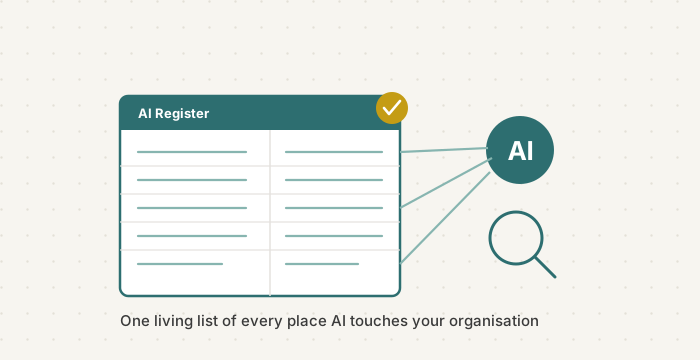
An AI register — sometimes called an AI inventory or AI system register — is a living list of every place AI is used in your organisation. One row per use. It records what the tool is, who uses it, what for, what data it touches, whether a human checks its output, and how much it matters if it gets something wrong.
That's it. It is not a legal filing, not a form you send anywhere, and not something you need software to maintain. A tab in a spreadsheet is entirely sufficient to begin. What makes it powerful is not its format but the fact that it turns a vague, anxious question — "are we on top of AI?" — into a concrete list you can look at, hand to a trustee, and act on.
You cannot govern, document, or explain what you have never written down. Almost every AI obligation quietly assumes a register exists — even though no single rule uses that word as a headline.
Why one document does several jobs
The reason the register is such good value is that the same list feeds obligations that otherwise feel separate and overwhelming:
- AI literacy (Article 4 of the AI Act, in force since 2 February 2025). You can't train people on tools you haven't mapped. The register is the starting inventory for your literacy measures.
- Risk classification under the AI Act. Before you can ask "is any of our AI high-risk?", you need the list of AI uses to classify. The register is where that reasoning lives.
- Transparency to the people you serve. Telling service users where AI touches them starts with knowing where it does.
- Data-protection records (GDPR Article 30). Where your AI use processes personal data, that processing already needs to sit in your record of processing activities. An AI register and an Article 30 record overlap heavily — many organisations simply extend one to cover the other.
A note on that last point, because it's widely misunderstood: Article 30 has an apparent exemption for organisations with fewer than 250 staff. In practice it rarely applies, because the exemption falls away if your processing is more than occasional, is likely to pose a risk to people, or involves special-category data such as health information. Normal charity activities — keeping service-user records, running a donor database, using AI on real people's data — are exactly the kind of routine, non-occasional processing the exemption does not cover. Assume you need the record.
The point in one line: the AI register isn't a fifth task on top of four others. It's the single foundation the other four stand on. Build it once, and every later obligation gets easier.
What goes in it — the columns that matter
Keep it lean. A register nobody updates is worse than none, so resist the urge to build fifteen columns you'll never fill. These are the ones that earn their place:
- The AI use — a plain name: "drafting newsletter copy", "summarising grant reports", "chatbot on our website".
- The tool — the actual product, including AI features hidden inside software you already pay for (your CRM, email, design or fundraising tools).
- Who uses it — the team, role or individual. Include volunteers and any supplier running AI on your behalf.
- Personal data involved? — does it touch data about real people, and if so, whose (service users, donors, staff, applicants)? Flag anything sensitive.
- Human review — who checks the output before it reaches a service user or the public, and when. "Nothing published without a human read" is a valid answer; "no one" is a red flag worth seeing.
- How much it matters — a rough sense of stakes. Drafting a social post is low. Anything that shapes a decision about a person — who gets help, who gets hired, who gets flagged — is high, and belongs at the top of your attention.
A starter template
Here's the shape of it. Copy these headings into a spreadsheet and you have version one. The examples are illustrative — replace them with your own.
Our AI Register — v1
| AI use | Tool | Who uses it | Personal data? | Human review | Stakes |
|---|---|---|---|---|---|
| Drafting newsletters & social posts | AI writing assistant | Comms volunteer | No | Manager reads before sending | Low |
| Website enquiry chatbot | Bot built into our site platform | Supplier / automatic | Yes — visitor messages | Weekly log review | Medium |
| Summarising volunteer applications | General AI assistant | Volunteer coordinator | Yes — applicants | Coordinator reads full application | High |
Review whenever you adopt, change or drop a tool, and at least once a year.
Building version one in an afternoon
Step 1 — Ask the room, not the org chart
The fastest way to find your AI uses is to ask the people doing the work: "what AI tools, or AI features, do you use in a normal week?" You'll surface more in one honest team conversation than in a month of top-down auditing — because most AI use today is informal, adopted by individuals, and invisible from above.
Step 2 — Hunt the hidden AI
The uses people forget are the ones baked into tools you already have: AI summaries in your inbox, AI features in your CRM or design software, an AI-assisted helpdesk from a supplier. Walk through your main systems and ask, "is there AI in here?" There usually is.
Step 3 — Fill the six columns, roughly
Don't aim for perfect. A register that's 80% right and exists beats a flawless one that never gets written. Rough entries you can refine are the goal for version one.
Step 4 — Look at the "high stakes" rows first
Once the list exists, your eye goes straight to what matters: any row where AI shapes a decision about a person, touches sensitive data, or has no human review. Those rows are your real priorities — and you couldn't see them until the list existed.
Step 5 — Give it an owner and a review date
A register with no owner rots. Name one person responsible for keeping it current, and set a standing rule: update it whenever a tool is adopted, changed or dropped, and review the whole thing at least once a year.
How Vedomia can help
Vedomia is an Irish company focused on one thing: helping organisations make their processes and their use of AI visible, explainable and auditable. We work mainly with charities, nonprofits and publicly funded organisations.
The register is the foundation — but it's most useful when you can see, at a glance, where the gaps are: which uses have no human review, which touch data you haven't thought hard about, which sit far below the transparency you'd want to show a funder.
- Transparency Self-Audit (free). Around 20 questions across four pillars — Visibility, Sequence, Justification, Auditability. It walks you through surfacing where AI is used and where your organisation is thin on understanding, review and evidence.
- Vedomia Workspace. Map one real process once and keep it alive in a private Workspace — €99 for 12 months — or set up your whole organisation with a 90-minute onboarding for €450: one living model that your team, funders, auditors and the people you serve can all read, including where and how AI is used.
To be clear about what we do and don't do: Vedomia supports readiness, helps you document your AI use, and identifies transparency gaps. We do not certify compliance, and nothing we provide guarantees legal conformity. This is not legal advice.
Every hard AI question your charity will face over the next two years is easier to answer once you can point to a single list. Build that list this week — it's an afternoon now, and a foundation for everything after.
This article is general information about the EU AI Act and data-protection rules and does not constitute legal advice.
Prepared with the help of an AI assistant, reviewed by Sandra Fedakova.
Want to see where AI is used across your organisation — and where the gaps are?
Take the Free Transparency Self-Audit